
A lesson that lands, a trip that's planned, parents in the loop.
Wednesday Night turns Claude, ChatGPT, Gemini or Grok into the planning partner a youth pastor rarely has. Write a lesson from a passage with an opener, a talk outline and small-group questions for middle or high schoolers, plan retreats and mission trips with budgets and timelines, write clear parent emails, and keep the two-adult rule, screening and reporting steps in every plan.
Get Wednesday Night Youth Planner for $5 Work out the budget
$5 once · card, Apple Pay or Google Pay · download in a minute
Into more than one hobby? Get all 70 hobby skills for $19, this one included.
- One-time $5
- Instant email delivery
- 14-day refund
- Works in Claude, ChatGPT, Gemini and Grok
Lesson plan: "Who's my neighbor?" (Luke 10:25 to 37)
High school · 45 minutes · 40 students, 6 small groups · Nondenominational
Talk: 12 minutesSmall groups: 20 minutesParent email included
- 0:00Opener: "Would you stop?" scenariosFour quick situations, hands up or downOpen
- 0:10Talk: the question behind the questionRead the parable aloud; one big ideaTeach
- 0:22Small groups: 5 questions, easy to deepLeaders get a one-page guideGroups
- 0:42Send: one person to notice this weekText a leader on Sunday about itClose
- AfterParent email: what we talked aboutTwo questions for the car ride homeParents
Everything on a youth pastor's whiteboard
One skill, six jobs. Claude, ChatGPT, Gemini or Grok picks the right one from what you ask.
Weekly lessons
From a passage or topic: an opener, a talk outline with one big idea, illustrations that fit teenagers, and a clear next step.
Small-group questions
Five or six questions from easy to deep, with a leader's guide and what to do when a student shares something serious.
Retreats and trips
Schedules, budgets, packing lists, rooming, and backward timelines for camps and mission trips.
Parent emails
Event details, permission reminders, what we're teaching, and hard notes written with care.
Safeguarding basics
Two-adult rule, screening, ratios, transport, online contact and mandated reporting steps, built into every plan.
Series and calendars
Semester teaching series that follow the school year, the church year and your events.
Ask it like you'd ask a veteran youth pastor
It knows teenagers, volunteers and parents, and keeps students safe.
True cost: $272.80 per student
Lodging $3,240 (36 people × 2 nights × $45), meals $2,700 (36 × 3 days × $25), bus $900 and program $600 come to $7,440. A 10% contingency adds $744, for $8,184. With the church covering leaders, that's $272.80 for each of 30 students.
Suggested fee: $305
Adding 10% for scholarships and rounding up to $5 gives $305, which raises about $966: enough to send about 3 students free.
Check before you announce
- 6 adults for 30 students is 1 to 5, inside most overnight policies. Split men and women for sleeping areas.
- Every leader needs a current background check and safeguarding training.
Example answer from the full skill. Your answers depend on what you ask.
Honest about what matters most
Relationships with students can't be automated. Wednesday Night clears the planning so you can be present.
- Safety firstTwo-adult rule, screened leaders and safe transport in every plan. It follows your church's policy when you share it.
- Reports go to the authoritiesIf abuse is suspected, follow your policy and make the report the law requires. It will never draft something that replaces it.
- Denomination-awareTell it your tradition and it fits the theology, the language and the practices, from Baptist to Anglican.
- Not a counselorFor self-harm, abuse or mental health crises it points to parents, professionals and crisis lines, fast.
Up and running in two minutes
No app to learn and nothing to install on your computer. It lives inside Claude, ChatGPT, Gemini or Grok.
Buy once
Pay $5 by card, Apple Pay or Google Pay. Your download link arrives by email in about a minute.
Add it to Claude, ChatGPT, Gemini or Grok
Upload the ZIP under Skills in Claude, or the unzipped folder in Gemini. It takes about 30 seconds. In Grok, upload the ZIP, or paste the included paste-in file into a new skill. In ChatGPT, add the included paste-in file to a Project.
Just ask
"Write a lesson on Philippians 4 for middle schoolers." "Build our mission trip timeline." "Email parents about the retreat deposit."
Pick your app for the exact clicks
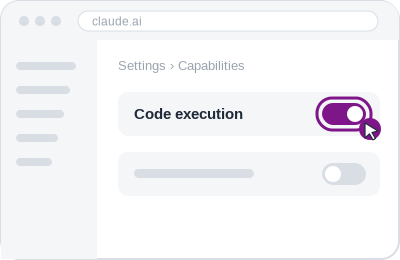
1In Settings, then Capabilities, turn on code execution.
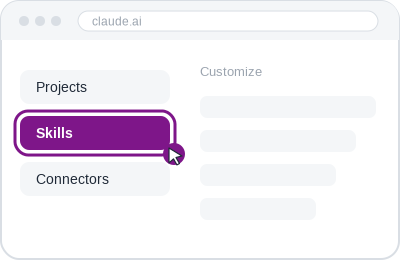
2Open Customize, then Skills.
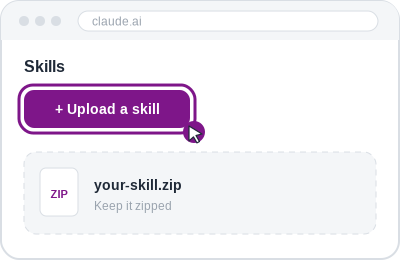
3Click +, choose Upload a skill, pick the ZIP. Keep it zipped.
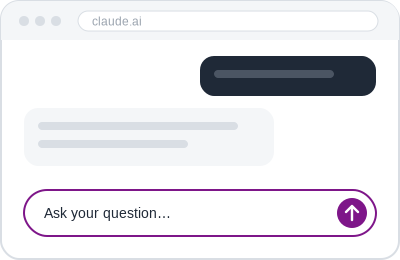
4Start a new chat and ask. Claude picks up the skill.
Works on every Claude plan, including the free one. Free plans have lower usage limits.
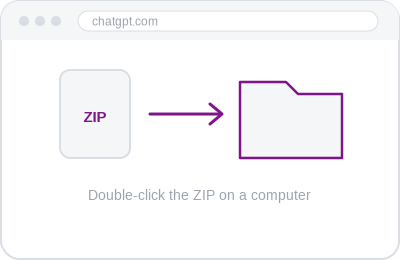
1On a computer, unzip the download and find ANY-AI-PASTE-VERSION.txt.
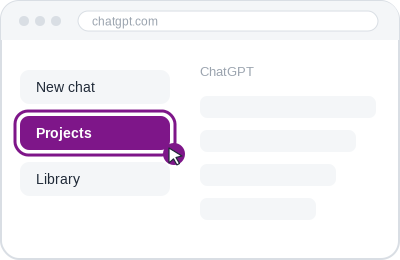
2In ChatGPT, open Projects and make a new project.
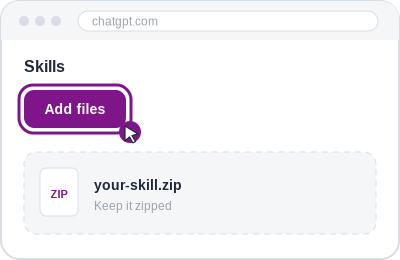
3Add the .txt file to the project. In its instructions, type: Follow the attached file.
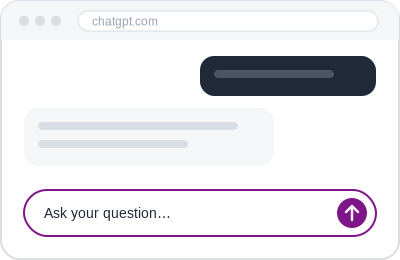
4Start a chat in that project and ask. On a Business, Enterprise or Edu plan, you can upload the ZIP under Skills instead.
Personal ChatGPT plans (Free, Plus, Pro) don't have a Skills page yet, so you use the paste-in version in a Project. On a Business, Enterprise or Edu plan, go to chatgpt.com/skills, choose Add, then Upload from your computer.
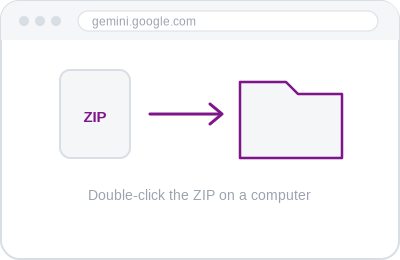
1On a computer, unzip the download. You get a folder.
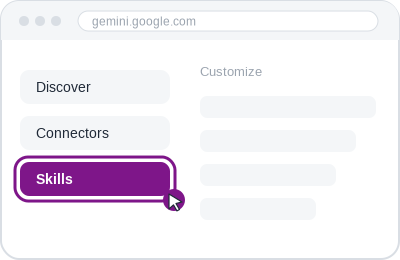
2At gemini.google.com, open Customize, then Skills.
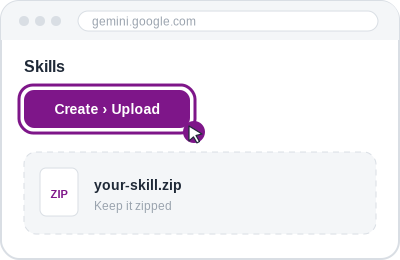
3Choose Create, then Upload, then folder. Pick the unzipped folder.
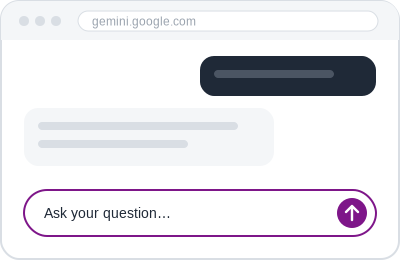
4Start a new chat and ask.
Gemini takes the unzipped folder, not the ZIP. Menus in Gemini change often, so names may differ slightly.
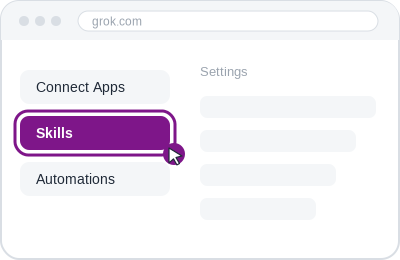
1At grok.com, open Settings, then Skills.
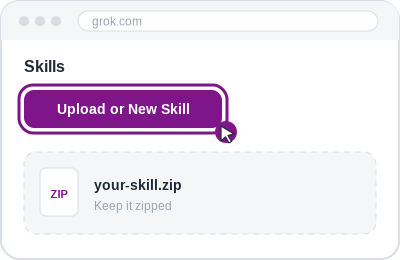
2If you see Upload, pick the ZIP. If you only see New Skill, use the next step.
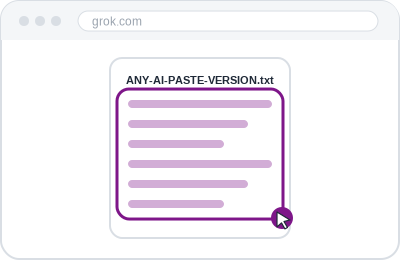
3New Skill: name it, then paste the text of ANY-AI-PASTE-VERSION.txt (below the line of equals signs) into Instructions.
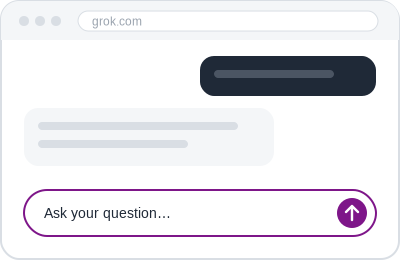
4Save it, start a new chat and ask.
Some Grok plans upload the ZIP; others show a New Skill form, where you paste the skill text in. Menus in Grok change often, so names may differ slightly.
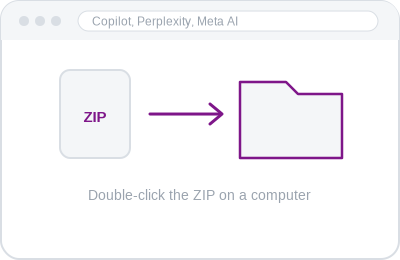
1No Skills page? Unzip the download on a computer.
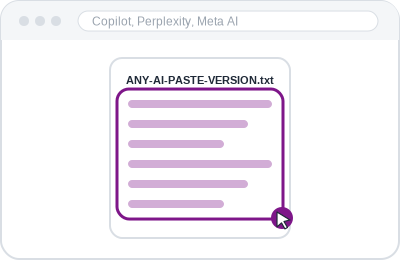
2Open ANY-AI-PASTE-VERSION.txt and copy everything.
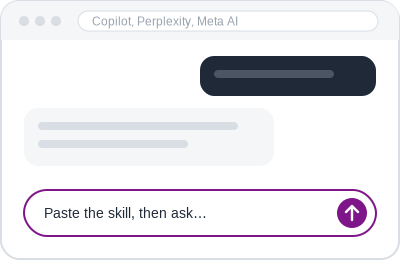
3Paste it into a new chat, then ask your question.
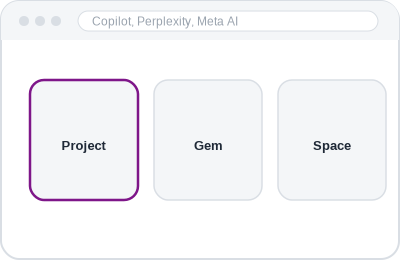
4To keep it on, add it to a ChatGPT Project, Gemini Gem or Perplexity Space.
Using Claude Code, Codex, Cursor or another coding agent? Unzip it into the skills folder, for example unzip wednesday-night-youth-planner.zip -d ~/.claude/skills/
On your phone? Go ahead and buy: the download link goes to your email and works for a year. Adding a skill is easiest from a computer, in a web browser or the desktop app, so open that email there when you're ready. Want to try it on your phone today? Open the ZIP, copy ANY-AI-PASTE-VERSION.txt into any chat app, and ask.
Start with the free Lesson Plan
A small skill that turns a passage or topic into a one-night youth lesson: opener, talk outline, small-group questions and a next step.
- Fits middle or high school
- One big idea and a talk outline
- Small-group questions, easy to deep
Get Wednesday Night Youth Planner
Pay once, use it whenever you need it. Includes the free Lesson Plan too.
How to add it
Upload the ZIP under Skills in Claude, or the unzipped folder in Gemini (in Grok, upload the ZIP or paste the paste-in file into a new skill; in ChatGPT, add it to a Project), then start a new chat and try: "Write a 45-minute high school youth lesson on Luke 10:25 to 37 with an opener, a talk outline and small-group questions."
See the clicks for your app. Every download also comes with a paste-in version for any other chat, and a Start Here PDF.
Step-by-step guides with pictures: Claude · ChatGPT · Gemini · Grok
Wednesday Night Youth Planner
Lessons, small groups, retreats, trips, parent emails and safeguarding.
$5 one time
- Weekly lessons and teaching series
- Small-group questions and leader guides
- Retreat and mission trip plans, budgets and timelines
- Parent and volunteer emails
- Safeguarding checklists: screening, ratios, transport, online contact
- Games, openers and event ideas
- Updates for a year
Card, Apple Pay or Google Pay through Stripe. Taxes calculated at checkout. 14-day refund.
Giving it as a gift? Buy it, forward the email, and print a gift card.
See a real answer from the full skill
You ask: Weekend retreat for 30 students and 6 leaders, 2 nights. Lodging $45 a person a night, meals $25 a day, bus $900, program $600. What do we charge?
True cost: $272.80 per student
Lodging $3,240 (36 people × 2 nights × $45), meals $2,700 (36 × 3 days × $25), bus $900 and program $600 come to $7,440. A 10% contingency adds $744, for $8,184. With the church covering leaders, that's $272.80 for each of 30 students.
Suggested fee: $305
Adding 10% for scholarships and rounding up to $5 gives $305, which raises about $966: enough to send about 3 students free.
Check before you announce
- 6 adults for 30 students is 1 to 5, inside most overnight policies. Split men and women for sleeping areas.
- Every leader needs a current background check and safeguarding training.
Into more than one hobby? The Skill Pass gets you all 70 hobby skills, this one included, for $19.
New to AI skills?
Wednesday Night is a skill: a set of expert instructions you add to your own Claude, ChatGPT, Gemini or Grok account, so it answers like a youth ministry planner who knows the craft.
- Using Gemini? Unzip it and upload the folder on its Skills page. Using Grok? Under Settings, Skills, upload the ZIP or paste the paste-in file into a new skill. Using ChatGPT? Add the included paste-in file to a Project.
- New to all of them? Claude is an AI assistant made by Anthropic. Make an account at claude.ai: skills work on every Claude plan, including the free one, with code execution turned on in Settings, Capabilities.
- Try the free Lesson Plan skill first. If you like it, the full skill is one purchase.
Not ready for an AI app? The free youth retreat budget calculator on this site works in any browser, no account needed.
Free youth ministry tools
No sign-up, they run in your browser.
Made by Nic Hubert, What If Labs
I run What If Labs from British Columbia, Canada. I build each skill with AI help and test it on real questions, and a separate reviewer checks it before it goes on sale. If it doesn't do what this page says, email me at hello@whatiflabs.ai and I'll fix it or refund you.
No reviews yet: this store is new. Tell me how it went and I'll use it to make the skill better.
Questions
Which churches is it for?
Mainly Protestant youth ministries: Baptist, Methodist, Presbyterian, Lutheran, Anglican, Pentecostal, nondenominational and more. Tell it your tradition and it fits the theology and language. Catholic and Orthodox youth ministers can use it too.
Does it replace our safeguarding policy?
No. It builds the basics into plans (two-adult rule, screening, ratios, transport, online contact) and follows your church's policy when you share it. Your policy, your insurer and the law come first.
What if a student tells a leader something serious?
It helps you prepare leaders and follow your policy, and reminds you of mandated reporting duties. It never drafts anything meant to replace a report to the authorities, and points to crisis lines such as 988 in the US.
Can volunteers use it?
One purchase is for one person. Share the lessons and leader guides it writes with your team as you normally would.
What do I need to use it?
A Claude, ChatGPT, Gemini or Grok account. In Claude it works on any plan, including the free one, with code execution turned on (Settings, Capabilities). Free accounts have lower usage limits, so long planning sessions go further on a paid plan. It works in Claude on the web, the desktop app and Claude Code. In Gemini and Grok, upload it on the Skills page. In ChatGPT, personal plans (Free, Plus, Pro) don't have Skills yet, so you add the included paste-in file to a ChatGPT Project; Business, Enterprise and Edu plans can upload the ZIP under Skills. Coding agents that read SKILL.md files work too. Using Copilot, Perplexity, Meta AI or another chat with no Skills page? Every download includes a paste-in version (ANY-AI-PASTE-VERSION.txt) that works in any AI chat.
What if it doesn't work for me?
Email hello@whatiflabs.ai within 14 days of buying and we'll refund you in full. No forms, no questions.
How is this different from just asking an AI?
A general AI answer is often vague or skips steps. The skill gives your AI an expert's method: what to ask you first, the checklists and calculations to run, and the mistakes to warn you about. You get consistent, specific answers instead of a different guess each time.
Do I pay every month?
No. It's a one-time price, and updates to the skill are free.
Can I get a refund?
Yes. Every purchase comes with a 14-day refund, no questions asked. Reply to your receipt email and we'll take care of it.
What if it gets something wrong?
It shows its working, so you can check numbers and dates. Tell it what's off and it will correct itself. For anything where a mistake costs money or safety, double-check before you act, as you would with any advice.
Is my information private?
The skill runs inside your own Claude, ChatGPT, Gemini or Grok account, and we never see your chats. When you buy, Stripe handles the payment and we keep your email and order so we can send the download. The terms and privacy page has the details.